
50+ LinkedIn Headline Examples for Every Career (2026)

.webp)
If you looked up "LinkedIn headline examples," you probably don't want clever wordplay. You want something that actually gets you found by recruiters, makes sense in one glance, and turns a profile impression into a click. That's the whole job of a headline.
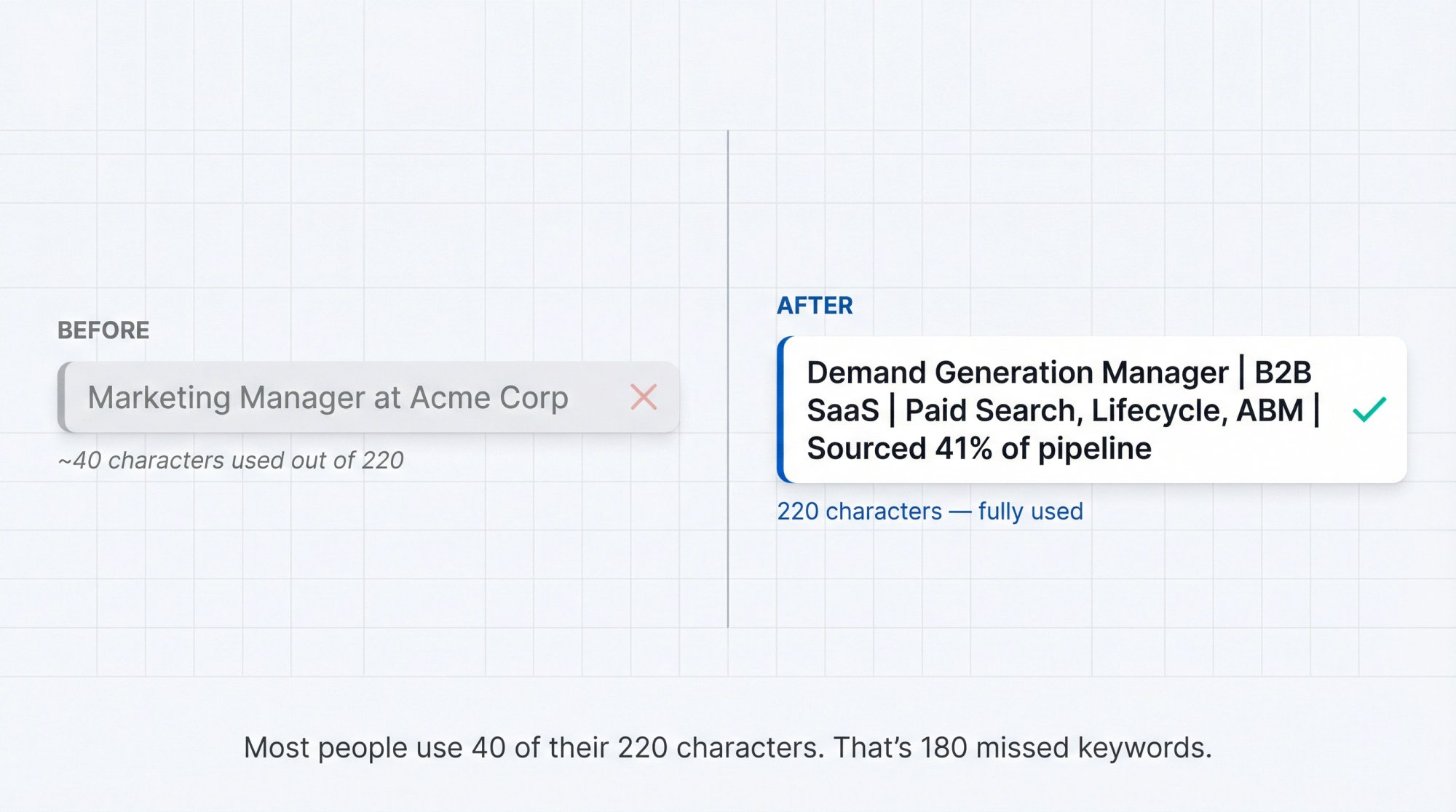
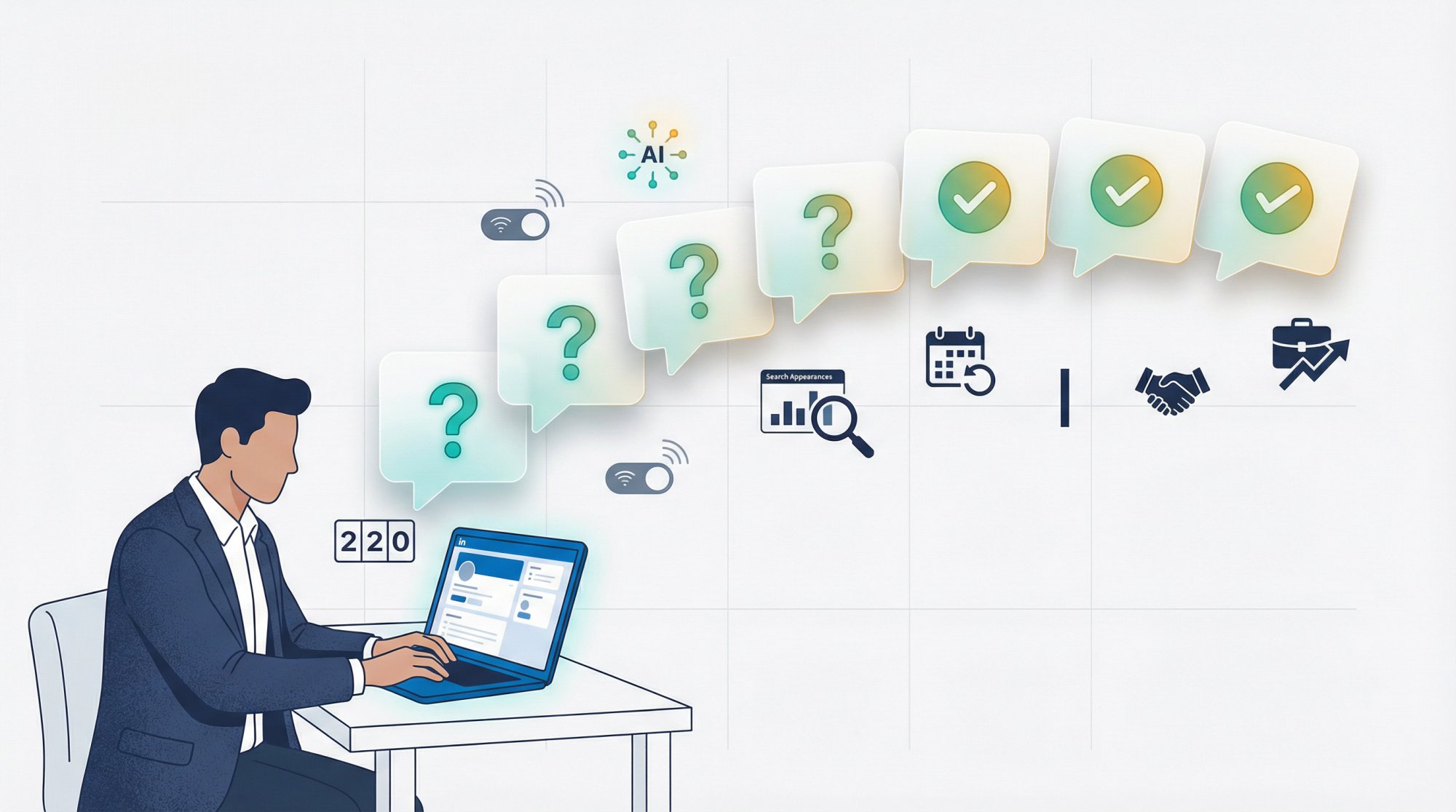
According to LinkedIn's profile help page, your name and headline show up in search results, posts, comments, and network recommendations. You get 220 characters to make that little strip of text count. Most people use about 40.
What makes the stakes even higher: your headline isn't just branding. It's closer to metadata plus marketing. It tells LinkedIn's algorithm how to classify you, and it tells recruiters whether you're worth the click. LinkedIn's skills-first hiring data from July 2025 shows that recruiter searches increasingly lean on skills over pedigree. In OECD countries, 14% of recruiter searches filter by skills compared to less than 2% for degree. Companies running the most skills-based searches are 12% more likely to make a quality hire.
Even with AI-powered recruiter tools, keywords still matter. LinkedIn's Recruiter Help page confirms that AI-Assisted Search breaks a natural-language prompt into structured filters like job title, location, and skills. The underlying search algorithm stays the same. So exact role language, specific skill names, and industry terms still drive whether your profile surfaces or stays buried.
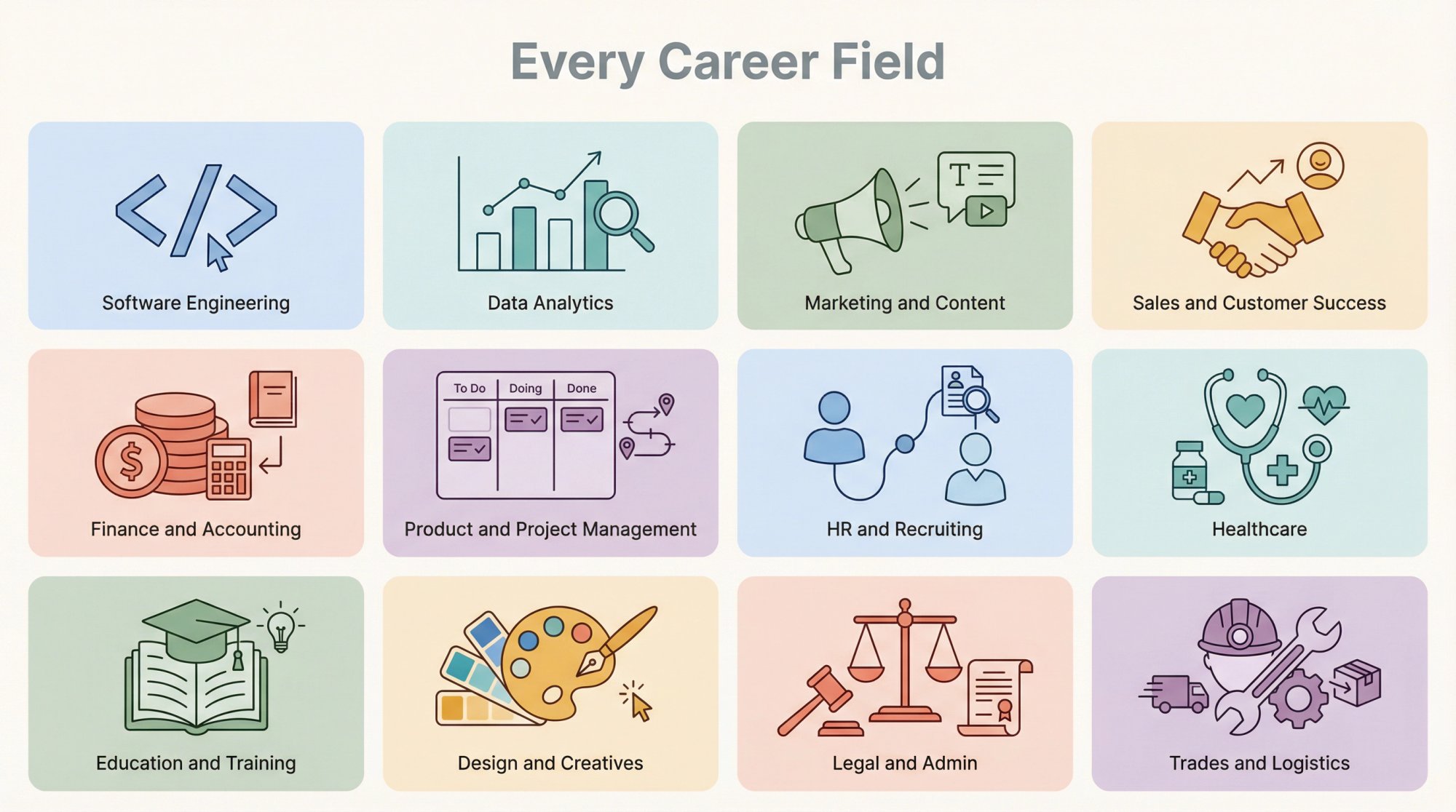
The rest of this guide gives you a proven formula, 60+ ready-to-use headline examples across 12 career categories, a step-by-step customization walkthrough, the most common mistakes to avoid, and the AIApply tools that speed the whole process up.
A note on freshness: The LinkedIn features and statistics in this guide reflect sources available through March 2026. LinkedIn updates its interface frequently, so check the linked Help pages if anything looks different on your end.
How Your LinkedIn Headline Affects Recruiter Search Results
Most people treat their LinkedIn headline as an afterthought. They accept the auto-generated "Job Title at Company" and move on. That's a missed opportunity, and the data backs this up. If you're wondering whether LinkedIn is worth the effort for your job search, the headline is one of the clearest levers you control.
Your headline is one of the first things anyone sees when your profile appears anywhere on LinkedIn. Search results. Comments on posts. "People You May Know" suggestions. Connection requests. Every single one of those touchpoints displays your headline. It's doing work whether you think about it or not.
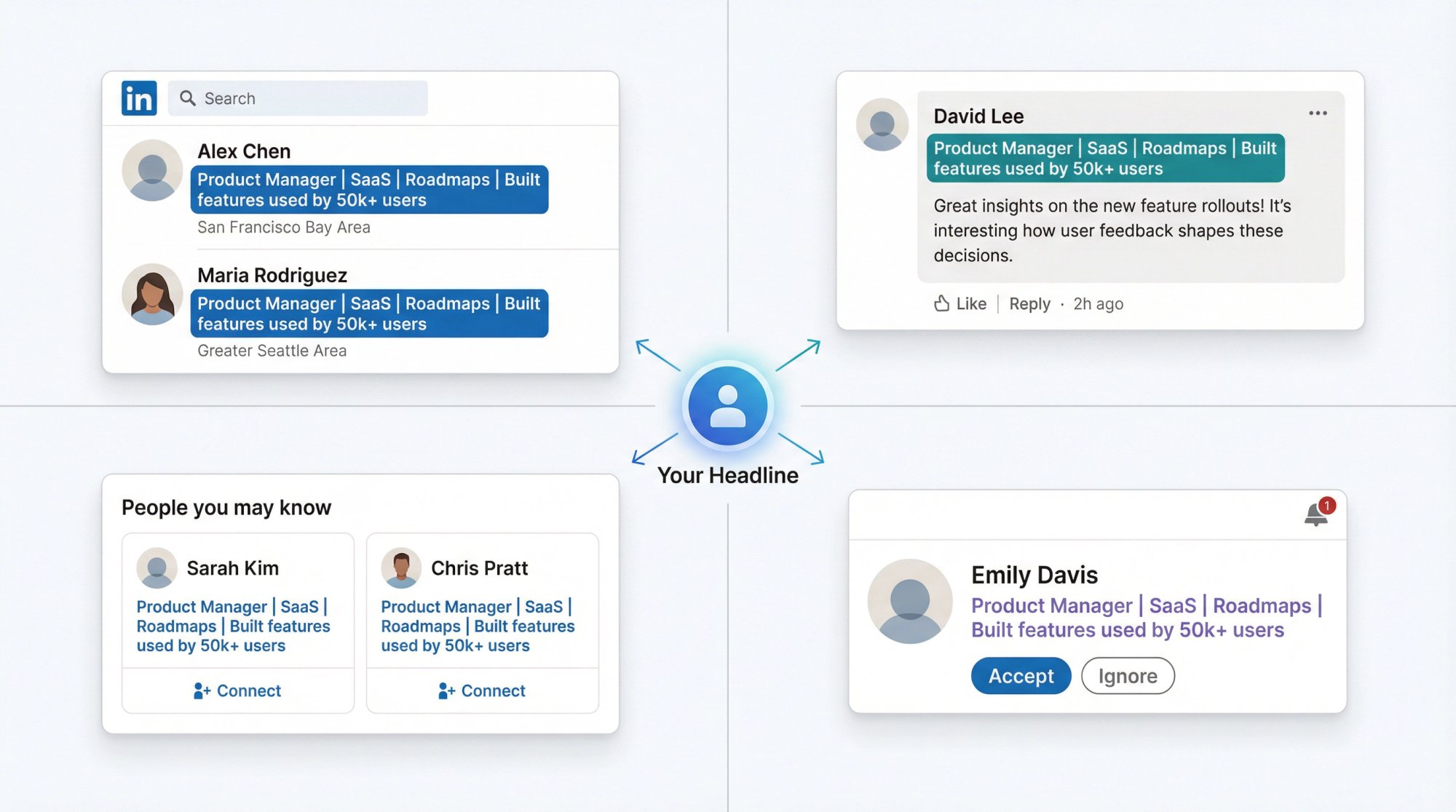
The shift toward skills-based hiring makes this even more important. LinkedIn's skills guidance says nearly half of hirers on the platform explicitly use skills data when evaluating candidates. If the skills in your headline match the skills a recruiter is filtering for, you show up. If they don't, you're invisible.
Think of it this way: your headline is the Google snippet of your professional identity. Just like a good meta description gets clicks in search results, a good LinkedIn headline gets clicks from recruiters.
The Best LinkedIn Headline Formula for Any Career
There's no shortage of headline advice online, and most of it contradicts itself. "Be creative!" says one guide. "Use exact keywords!" says another. "Show personality!" "Be professional!"
You don't need to choose. There's a formula that handles all of it:
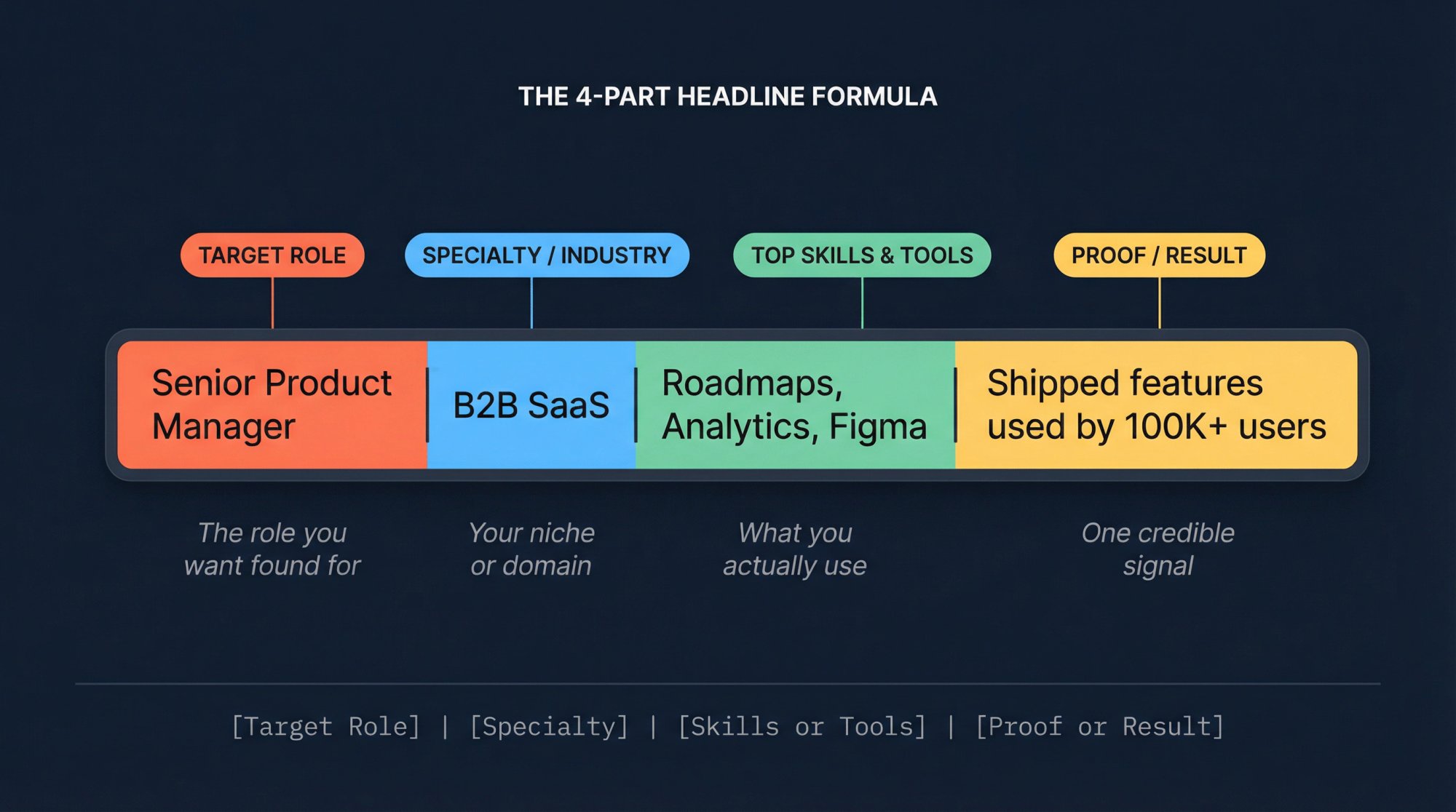
[Target Role] | [Specialty or Industry] | [Top Skills or Tools] | [Proof, Result, Certification, or Scope]
It works because it answers the four questions every recruiter silently asks within seconds:
| Question | What it looks like in the formula |
|---|---|
| What are you? | Target Role |
| What kind of work do you do? | Specialty or Industry |
| What keywords make you relevant? | Top Skills or Tools |
| Why should I believe you? | Proof, Result, Certification, or Scope |
You don't have to use the pipe character ( | ) as a separator. Commas, bullets, and dashes work too. The structure matters more than the punctuation.
Here's how to adapt the formula for different career situations:
For experienced professionals:[Role] | [Niche] | [Skills] | [Proof]
For students and recent grads:[Target Role] | [Degree, Projects, or Certs] | [Skills] | [Direction]
For career changers:[Target Role] | [Transferable Strength] | [New Tools or Certs] | [Proof of Transition]
For consultants and freelancers:[Service] | [Audience] | [Outcome] | [Niche or Proof]
One important caveat: steal the structure, not the claims. If you haven't earned the metric, certification, or title, leave it out. LinkedIn's skills guidance is direct about this: your profile should reflect the skills you actually have, not a wish list.
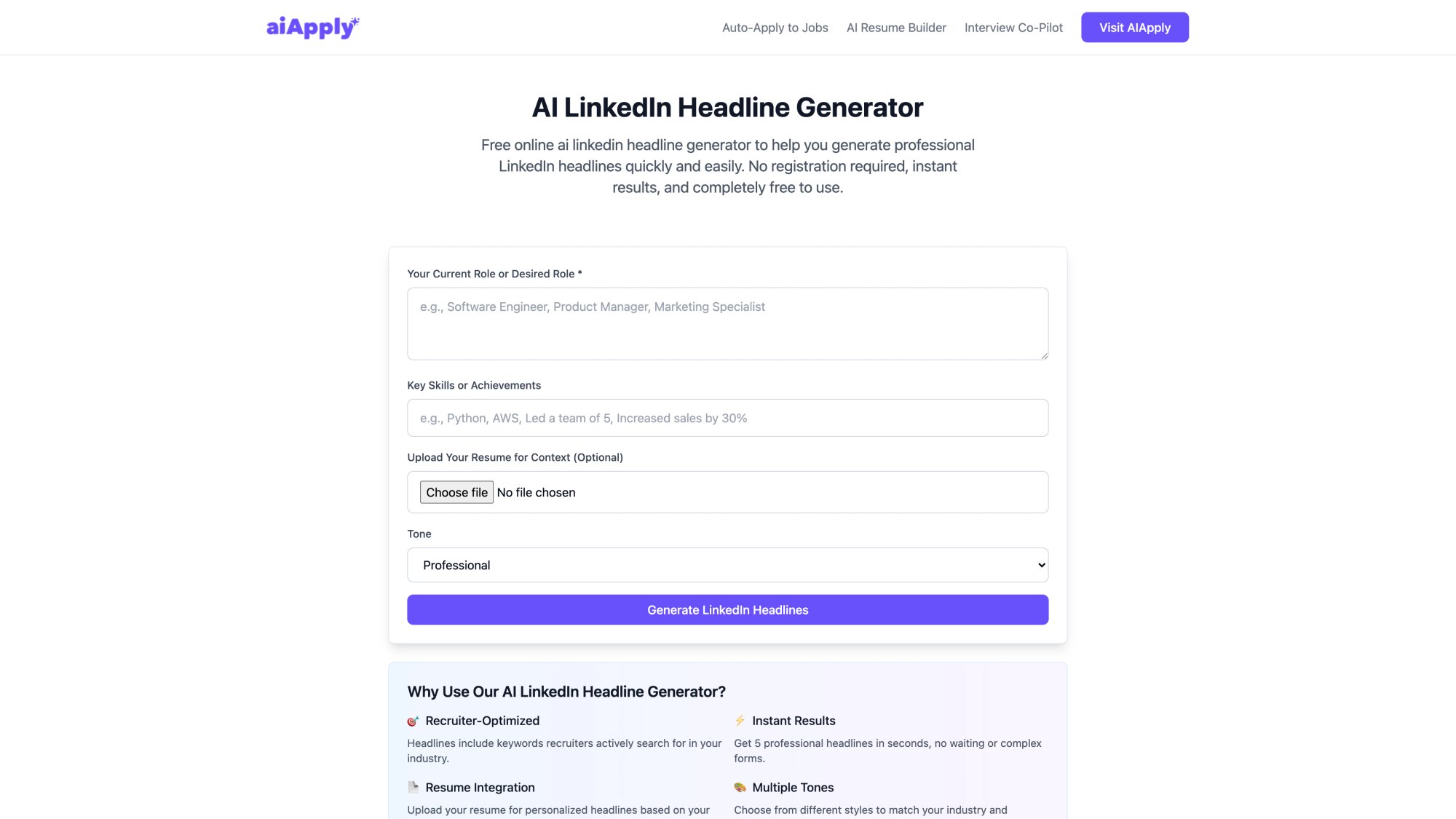
If you'd rather skip the manual drafting, our LinkedIn Headline Generator creates five recruiter-optimized headline options based on your role, skills, and (optionally) your resume. It's free, no signup required.
60+ LinkedIn Headline Examples by Career Field
Use these as templates. Swap in your real metrics, tools, industries, and specialties. A headline only works when it's yours.
LinkedIn Headline Examples for Software Engineers and Developers
These examples work for software engineers, frontend specialists, and everyone shipping code. The key is specificity: name the stack, not just the role.
Full-Stack Developer | React, Node.js, TypeScript | Building SaaS products users actually love
Backend Engineer | Python, Go, AWS | Designed APIs serving 10M+ requests per day
Frontend Developer | React, Next.js, Design Systems | Shipping fast, accessible web experiences
DevOps Engineer | Kubernetes, Terraform, CI/CD | Cut deployment time 70%
Cybersecurity Analyst | SIEM, Threat Detection, Incident Response | Protecting cloud-first teams
Explore what full-stack developer skills recruiters are searching for to sharpen the tools section of your headline.
LinkedIn Headline Examples for Data Analysts and Data Scientists
Data analysts and data scientists operate in one of the fastest-moving fields in hiring right now. Your headline needs to signal both technical depth and business impact.
The best data headlines don't just say what tools you use. They say what happens because you use them.
Data Analyst | SQL, Python, Tableau | Turning messy data into revenue decisions
Business Intelligence Analyst | Power BI, SQL, Executive Reporting | Automated dashboards leaders use weekly
Data Scientist | Experimentation, Forecasting, Machine Learning | Driving product decisions with evidence
Machine Learning Engineer | PyTorch, MLOps, AWS | Deploying production AI systems at scale
AI Solutions Specialist | LLM Workflows, RAG, Automation | Turning AI ideas into shipped processes
If you're building out your data analyst resume alongside your profile, the data analyst resume examples and data analyst skills guide show exactly what recruiters expect to see.
LinkedIn Headline Examples for Marketing and Content Professionals
Growth Marketing Manager | B2B SaaS | Demand Gen, CRO, Lifecycle | Grew demo pipeline 42%
SEO Strategist | Technical SEO, Content, Analytics | Built organic traffic from 20k to 300k monthly
Content Marketing Manager | Editorial Strategy, Thought Leadership | Turning expertise into pipeline
Product Marketer | GTM, Positioning, Sales Enablement | Helping products win crowded markets
Social Media Manager | Brand Voice, Community, Short-Form Video | Growing attention into demand
LinkedIn Headline Examples for Sales and Customer Success
Account Executive | Mid-Market SaaS | Discovery, MEDDICC, Forecasting | 128% of quota in 2025
SDR | Outbound Prospecting, Personalization, Sequencing | Booking meetings with hard-to-reach buyers
Customer Success Manager | SaaS Onboarding, Expansion, Retention | Reduced churn 18%
Partnerships Manager | Strategic Alliances, Co-Marketing, Channel Growth | Building win-win revenue paths
Revenue Operations Analyst | CRM, Forecasting, Pipeline Analytics | Making revenue teams faster and cleaner
For the CSM role specifically, the customer success manager resume examples illustrate how to translate retention and expansion metrics into ATS-friendly language.
LinkedIn Headline Examples for Finance and Accounting
Financial Analyst | FP&A, Forecasting, SQL | Turning numbers into decisions leaders trust
Staff Accountant | Month-End Close, Reconciliations, GAAP | Fast, clean, audit-ready books
Senior Accountant | NetSuite, Financial Reporting, Process Improvement | Cut close cycle by 3 days
Internal Auditor | SOX, Risk, Controls Testing | Finding issues before they get expensive
Finance Manager | Budgeting, Business Partnering, Margin Analysis | Improved operating margin 9%
If your headline needs to match a resume, the financial analyst resume examples and financial analyst skills profile will help you align your language with what hiring managers at banks and finance teams actually look for.
LinkedIn Headline Examples for Product, Project, and Operations
Product Manager | B2B SaaS | Discovery, Roadmaps, Adoption | Built features used by 50k+ users
Technical Product Manager | APIs, Platform Strategy, Developer Experience | Bridging product and engineering
Project Manager | Cross-Functional Delivery, Stakeholder Management | Shipping complex work on time
Operations Manager | Process Design, KPIs, Automation | Removing friction across teams
Supply Chain Analyst | Inventory, Forecasting, ERP | Lowering stockouts without overbuying
See how the product manager resume examples and project manager resume examples frame impact metrics. The same logic applies to headline proof points.
LinkedIn Headline Examples for HR, Recruiting, and People Ops
Talent Acquisition Partner | Tech Hiring | Sourcing, Closing, Employer Brand | Building teams that scale
Recruiter | Sales and GTM Hiring | Full-Cycle Recruiting | Matching strong talent with real growth
HR Business Partner | Employee Relations, Performance, Coaching | Helping managers lead better
People Operations Specialist | HRIS, Onboarding, Compliance | Making people processes actually work
Learning and Development Manager | Enablement, Programs, Upskilling | Turning training into performance
LinkedIn Headline Examples for Healthcare Professionals
Registered Nurse | Med-Surg | Patient Education, Care Coordination | Calm care in fast-moving units
Physical Therapist | Sports Rehab, Mobility, Recovery | Helping patients return to life and play
Medical Assistant | Patient Intake, EHR, Clinical Support | Keeping care teams efficient and kind
Healthcare Administrator | Clinic Operations, Scheduling, Compliance | Improving access and patient flow
Pharmacist | Medication Therapy Management, Patient Safety | Clear guidance, accurate dispensing
LinkedIn Headline Examples for Education and Training
High School Teacher | Biology, Curriculum Design, Student Support | Making hard topics click
Instructional Designer | eLearning, Storyboards, LMS | Turning expertise into engaging learning
Corporate Trainer | Facilitation, Enablement, Workshop Design | Training teams that perform better
Academic Advisor | Student Success, Retention, Program Planning | Helping students navigate with clarity
Learning Experience Designer | Adult Learning, Assessment, Content Strategy | Building courses people finish
LinkedIn Headline Examples for Designers and Creatives
Product Designer | UX Research, Interaction Design, Figma | Designing flows people can use instantly
UX/UI Designer | Web Apps, Prototyping, Design Systems | Cleaner interfaces, faster adoption
Graphic Designer | Brand Systems, Campaign Creative, Social Assets | Visual work that moves people
Copywriter | Web, Email, Ads | Clear messaging that turns attention into action
Video Editor | Short-Form, Brand Video, Motion Graphics | Editing stories people keep watching
LinkedIn Headline Examples for Legal, Admin, and Support Roles
Paralegal | Contract Review, Legal Research, Case Management | Detail-driven support for busy teams
Compliance Analyst | Policy, Risk, Internal Controls | Translating rules into workable processes
Executive Assistant | Calendar Management, Travel, Project Support | Making leaders dramatically more effective
Office Manager | Facilities, Vendor Ops, Team Support | Keeping the office running without drama
Customer Support Specialist | SaaS Support, Troubleshooting, CSAT | Solving issues with speed and empathy
LinkedIn Headline Examples for Trades, Manufacturing, and Logistics
Electrician | Commercial Installations, Troubleshooting, Safety | Reliable work done right the first time
HVAC Technician | Diagnostics, Preventive Maintenance, Repairs | Keeping systems efficient and uptime high
Manufacturing Supervisor | Lean, Quality, Shift Leadership | Hitting output without sacrificing safety
Logistics Coordinator | Scheduling, Shipping, Inventory | Moving freight with fewer delays
Construction Superintendent | Site Ops, Subcontractor Coordination, Safety | Delivering jobs on schedule
LinkedIn Headline Examples for Students, Career Changers, Freelancers, and Executives
These situations don't fit the standard mold. Your headline has to do extra work to explain where you're headed, not just where you've been.
Student: Computer Science Student | Java, Python, SQL | Built 4 projects | Targeting software engineering internships
Recent Grad: Recent Marketing Graduate | SEO, GA4, Canva, Copywriting | Looking for growth or content roles
Career Changer (Teacher to CS): Former Teacher Transitioning to Customer Success | Training, Communication, Relationship Building | SaaS onboarding and adoption
Career Changer (Retail to Ops): Ex-Retail Manager Pivoting to Operations | Team Leadership, Scheduling, KPI Ownership | Process-focused problem solver
Returning Professional: HR Professional Returning to Work | People Ops, Employee Relations, HRIS | Ready to rebuild high-trust teams
Freelancer: Freelance Graphic Designer | Brand Identity, Social Creative, Marketing Design | Helping startups look credible fast
Fractional Executive: Fractional CFO | SaaS Finance, Forecasting, Cash Flow | Helping founders grow without financial chaos
Senior Executive: VP Engineering | Platform Strategy, Distributed Systems, Team Building | Scaling products and people

The pattern here is the same: lead with the role you want to be found for, add the skills or transferable strengths that make you credible, and close with a proof point or clear direction. Career changers and students just need to lean harder on the "where I'm going" part.
If you're making a pivot, it helps to start by identifying your transferable skills before drafting the headline. And if you're unsure which direction to move, the best jobs for career changers can help you narrow down roles worth targeting. For a deeper walkthrough, our guide on how to pivot careers covers the full transition strategy. Recent grads should also read up on writing a resume for recent graduates. Aligning the resume with a strong headline is what makes profiles convert.
How to Customize Any LinkedIn Headline in 15 Minutes
Copying a headline template word-for-word won't work. The examples above are structures, not scripts. Here's how to make them yours.
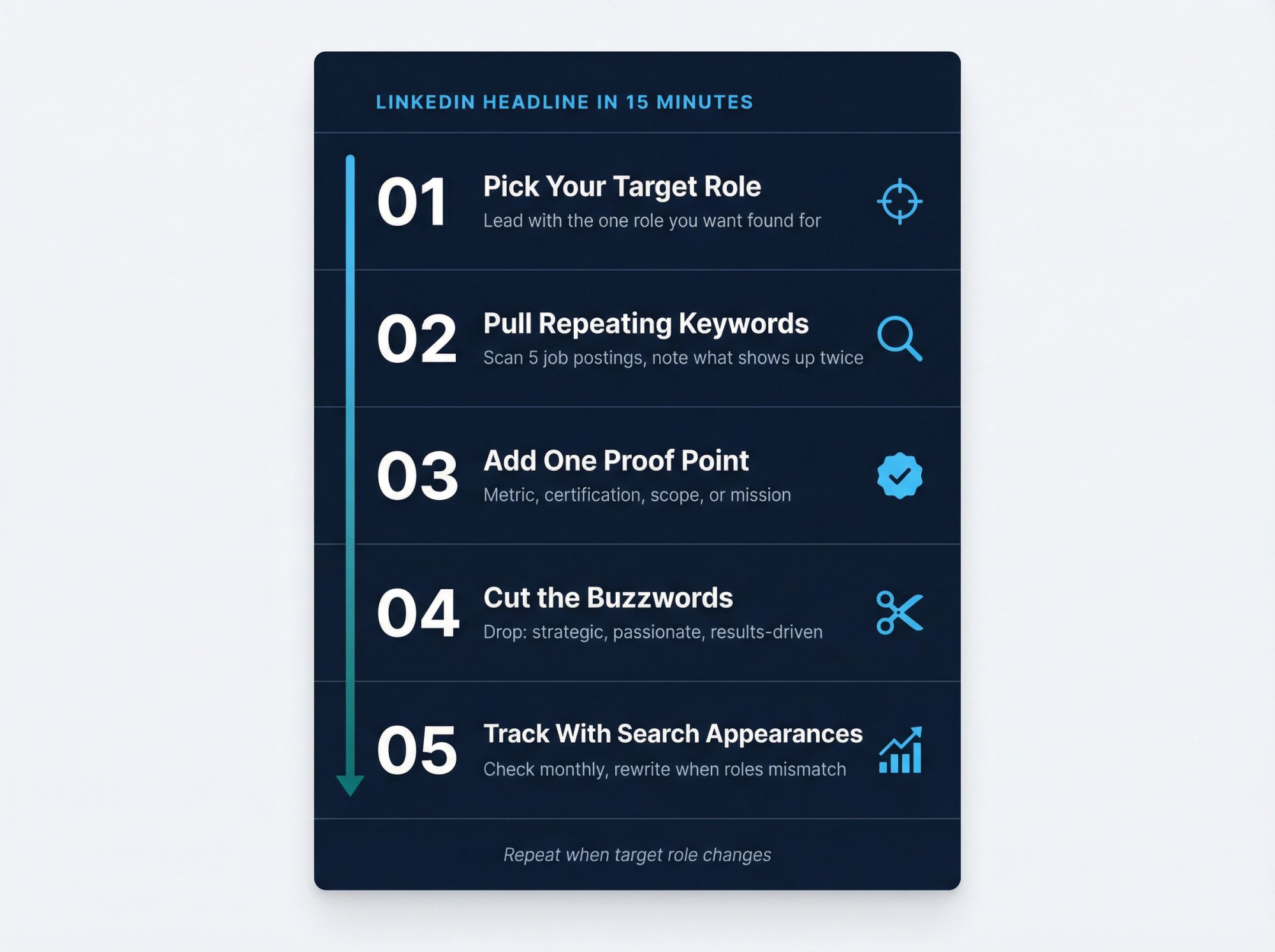
How to pick the right target role for your headline
This is where people trip themselves up. They try to be visible for five different career paths at once.
A recruiter isn't searching for "marketing + product + operations + strategy + growth." They're searching for something specific. Pick the role you most want to be found for and lead with that. You can still show breadth in your About section and Experience entries. Your headline needs focus.
LinkedIn's Search Appearances feature lets you see the job titles you were found for. That makes it easy to test whether your headline is attracting the right searches.
Where to find the best keywords for your LinkedIn headline
Skills change fast. LinkedIn's "Skills on the Rise" report from March 2025 says about 70% of the skills used in most jobs are expected to change between 2015 and 2030, with AI as a major accelerator. And LinkedIn's skills guide recommends looking at current job postings for your target role and pulling the skills that show up repeatedly.
Here's a simple approach: open five recent job listings for the role you want and look for repeats. Job title. Tools. Certifications. Industry terms. Functional language. Those repeats belong in or near your headline, assuming they actually describe you. If you want a broader view of which skills to focus on, our skills list for resumes covers what's most in demand across roles right now.
Our Job Description Keyword Finder speeds this up. Paste a job posting in, and it pulls out the hard skills, soft skills, certifications, tools, and industry language automatically. It's free, no account needed. And if you want to see how your resume already matches a target role, our AI Resume Scanner can help you identify keyword gaps before you apply.
For even deeper alignment, tailoring your resume to each job description is the companion move to optimizing your headline. They work best when they're pulling in the same direction.
How to add a proof point that makes recruiters click
Proof can be a metric, a certification, a scope indicator, a niche, or a mission statement. It doesn't need to be a giant brag. It needs to be one credible signal that separates you from the thousands of profiles that stop at a title.
| Type of Proof | Example |
|---|---|
| Metric | Reduced churn 18% |
| Certification | CPA Candidate |
| Scope | Enterprise B2B SaaS |
| Technical scale | Serving 10M+ API calls/day |
| Mission | Helping patients return to play |
If you can't think of a proof point, ask yourself: What's one thing I've done, earned, or built that a hiring manager would actually care about?
Which buzzwords to cut from your LinkedIn headline
LinkedIn's headline guide from February 2025 recommends dropping buzzwords for something memorable and specific. And while this next insight came from LinkedIn's job description SEO advice, the logic applies perfectly to headlines: avoid titles people don't actually search for.
"Marketing Ninja" feels creative. "Demand Generation Manager" gets found.
Words to drop from your headline unless they're attached to something concrete:
Strategic
Results-driven
Passionate
Innovative
Dynamic
Self-starter
None of these are wrong, exactly. They're just wasted space when they float on their own. For a broader breakdown of phrases that quietly hurt your profile's credibility, see our guide on resume buzzwords to avoid. The same principle applies to your LinkedIn headline.
How to track whether your LinkedIn headline is actually working
LinkedIn's Search Appearances shows you where you appeared in search, the top companies your searchers worked at, the top job titles of your searchers, and the job titles you were found for. That's genuinely useful data.
If the search terms and job titles don't match the opportunities you want, your headline and skills need work. Check it once a month after updating your headline and adjust based on what you see.
Here's a quick worksheet to pull it all together:
Target role:
Industry or niche:
Top 3-5 repeated keywords from job ads:
One proof point:
Draft headline:
Fill this in before you write anything. It takes five minutes and saves you from writing a headline that sounds good but doesn't actually match what recruiters search for.
LinkedIn Headline Mistakes That Kill Your Profile Visibility
These are the errors that don't look like errors. Your headline might seem perfectly fine while it's silently costing you opportunities.
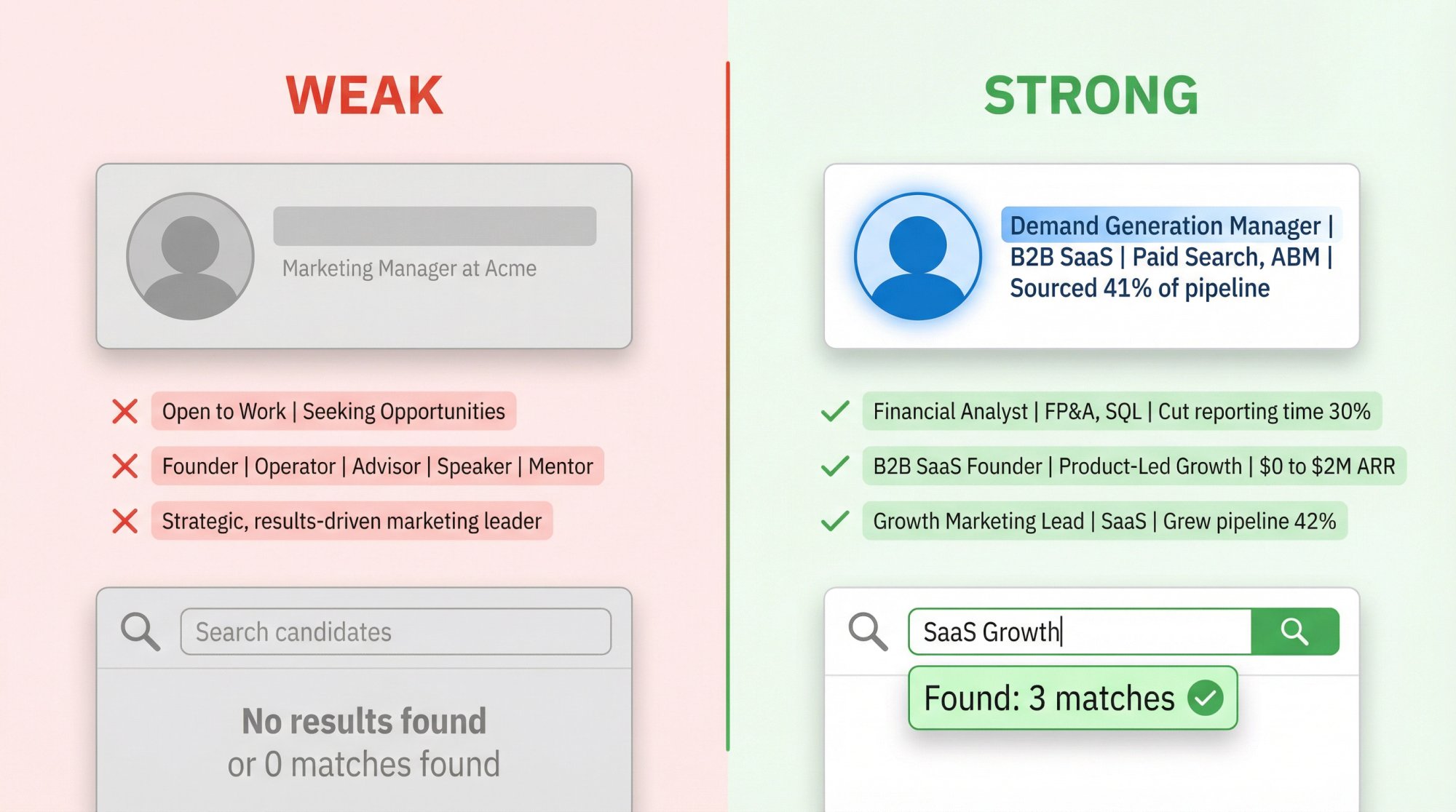
Mistake 1: Leaving the auto-generated default
LinkedIn's Help page says your headline is usually created automatically when you add a current position. That means a lot of profiles end up with some version of "Job Title at Company." It's accurate, but it's thin. LinkedIn's own guidance encourages rewriting the headline to highlight expertise and stand out.
| Default Headline | Optimized Headline | |
|---|---|---|
| What it says | Marketing Manager at Acme | Demand Generation Manager |
| Keywords for recruiters | 1 (Marketing Manager) | 7+ (Demand Gen, B2B SaaS, Paid Search, Lifecycle, ABM, pipeline) |
| Proof of impact | None | 41% of pipeline |
The difference is obvious. The optimized version gives a recruiter multiple reasons to click. Understanding how ATS systems work also helps here. The same keyword logic that drives ATS ranking applies to LinkedIn's own search algorithm.
Mistake 2: Leading with job-search status instead of value
If you're actively job hunting, it's tempting to write "Seeking New Opportunity" or "Open to Work" in the headline. But LinkedIn already has a dedicated Open to Work feature that lets you share your job preferences and helps your profile show up when recruiters search for candidates. You can even choose recruiter-only visibility instead of the public green frame.
Use the feature for availability. Use the headline for role, keywords, and value.
Weak: Open to Work | Experienced Professional Seeking Opportunities
Strong: Financial Analyst | FP&A, Budgeting, SQL | Built dashboards that cut reporting time 30%
Mistake 3: Trying to be everything at once
A headline like "Founder | Operator | Advisor | Investor | Speaker | Mentor" tells people you do many things. It says almost nothing about which opportunities should come your way.
Weak: Founder | Operator | Advisor | Speaker
Strong: B2B SaaS Founder | Product-Led Growth, GTM, Hiring | Built ARR from $0 to $2M
Mistake 4: Using buzzwords as filler
LinkedIn's headline guide explicitly recommends ditching buzzwords for something more memorable and specific. Words like "strategic," "results-driven," and "passionate" aren't evil, but they're usually wasted space when they're not attached to something concrete.
Weak: Strategic, results-driven marketing leader
Strong: Growth Marketing Lead | B2B SaaS | Paid Search, CRO, Lifecycle | Grew demo pipeline 42%
Mistake 5: Making up proof
Don't copy someone else's headline and leave their proof in place. Don't add certifications you haven't earned. Don't paste AI-generated metrics you can't defend in an interview. LinkedIn's skills guidance says your profile should reflect the skills you've mastered, not the ones you wish you had.
If you don't have a strong metric yet, use a scope indicator (like "Enterprise B2B" or "Series A Startups") or a mission-driven closer ("Helping teams ship faster"). Honest and specific beats impressive and fake every time.
What to Update on Your LinkedIn Profile After the Headline
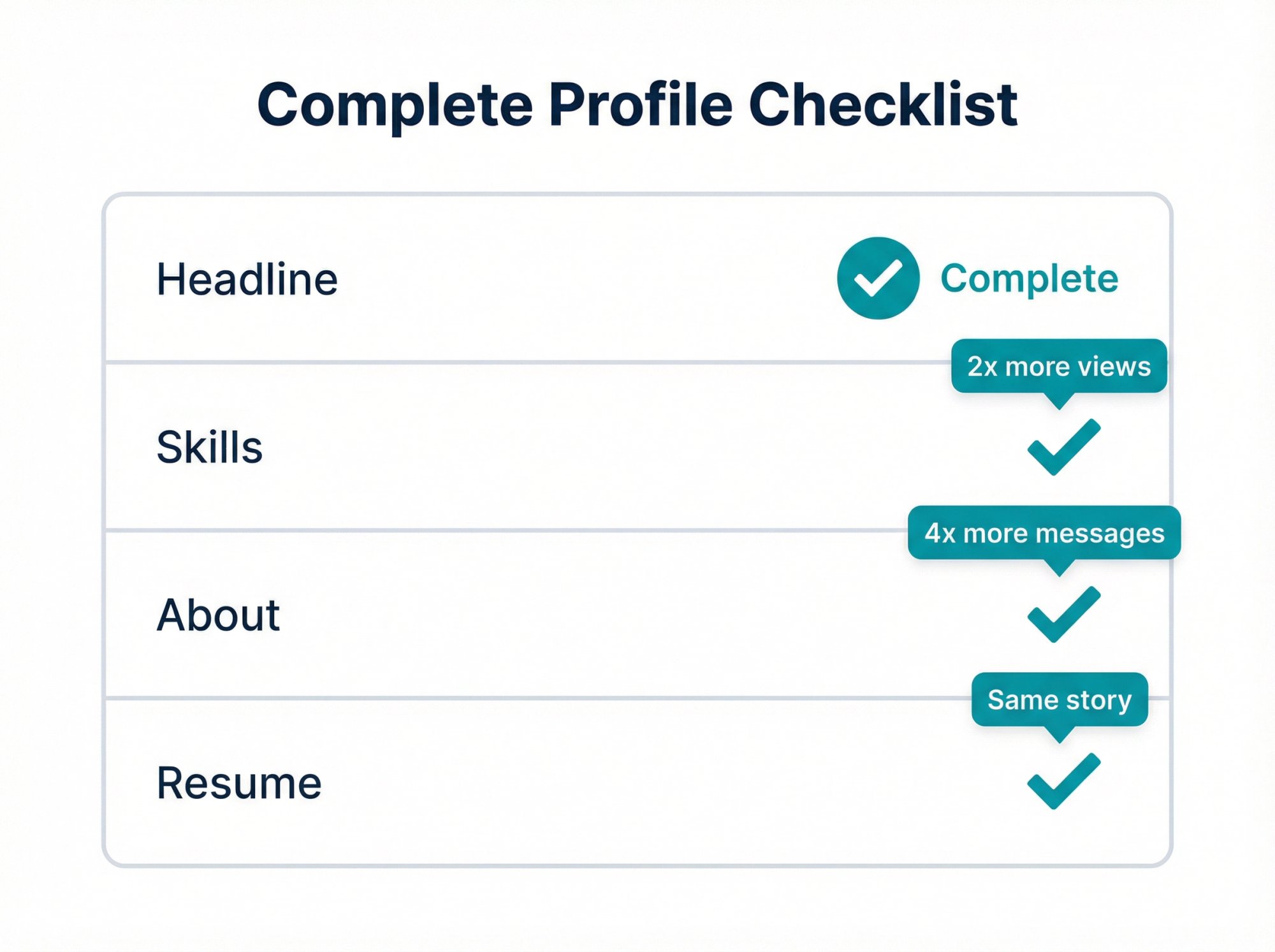
A strong headline helps, but a half-finished profile still leaks trust.
LinkedIn Help (updated March 2026) says a complete profile increases discoverability and search appearances. The same page notes that members with a profile photo receive up to 2x more profile views. And LinkedIn's skills article adds that members who list at least one skill get up to 2x more profile views and connection requests, plus up to 4x more messages.
Your headline is the hook. These are the rest of the fishing rod.
How to optimize your LinkedIn skills section for recruiter searches
If you want recruiter visibility, your skills can't stay generic. Nearly half of hirers on LinkedIn use skills data, and LinkedIn's guidance recommends listing skills that show up repeatedly in job descriptions for your target role. Spend 10 minutes matching your skills section to real job postings. It compounds over time.
How to write a LinkedIn About section that backs up your headline
Your About section is where you explain the story behind the headline. Our guide to writing a LinkedIn About section covers how to frame your mission, achievements, and direction in your own words. You can also use our Professional Bio Generator to turn achievements into a polished summary.
Why your LinkedIn profile and resume need to tell the same story
If your LinkedIn says one thing and your resume says another, recruiters feel friction. Our Resume Builder from LinkedIn is built specifically to convert your profile into a polished, ATS-friendly resume. And our Resume ATS Checker compares your resume against a specific job description to flag missing keywords and formatting issues before you apply.
Free Tools to Write and Optimize Your LinkedIn Headline
Most headline advice falls apart at the same point. It tells you to "be authentic" and "use keywords," then leaves you to figure out which keywords actually matter.
We built a cleaner workflow at AIApply. Here's how each step connects:
→ Step 1: Find the right keywords
Our Job Description Keyword Finder pulls hard skills, soft skills, certifications, tools, experience levels, and industry language directly from a real job posting. Paste a job description in, and you'll know exactly what recruiters are searching for. It's free, no signup needed.
→ Step 2: Generate headline options
Our LinkedIn Headline Generator takes your role, skills, and (optionally) your uploaded resume, then creates five recruiter-optimized headline options instantly. You can pick a tone: professional, creative, data-driven, or leadership-focused. Also free, no account required.
→ Step 3: Strengthen your About section
Our Professional Bio Generator helps turn your achievements and career direction into a polished About section that backs up the headline you just wrote.
→ Step 4: Align your resume
Our Resume Builder and the Resume Builder from LinkedIn converts your profile into a resume that tells the same story. And the Resume ATS Checker flags missing keywords and formatting problems before you hit submit.
→ Step 5: Start applying
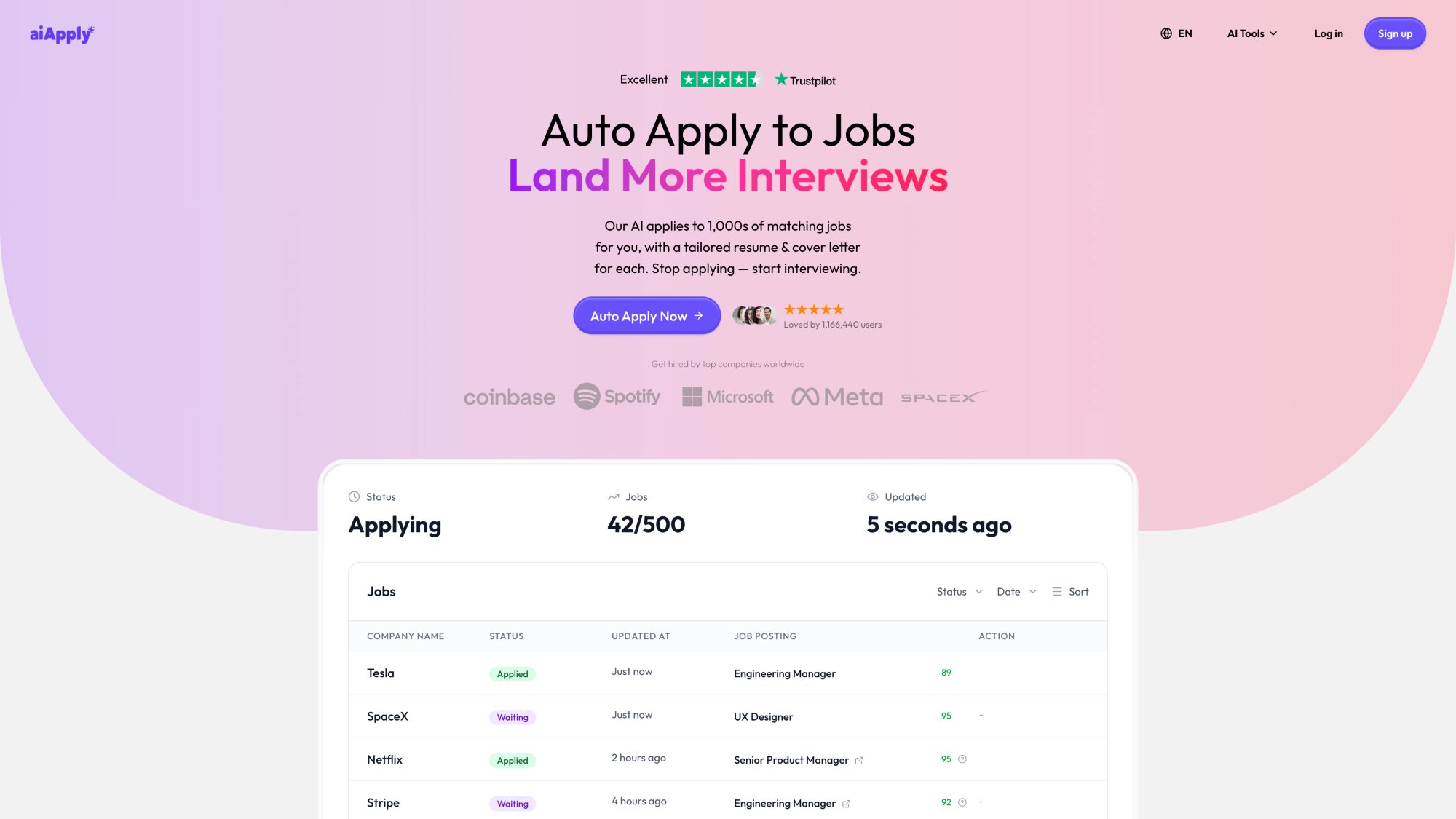
Once your profile and resume are aligned, Auto Apply scans 1M+ job postings and submits customized applications automatically, so you're not doing the same copy-paste-adjust cycle hundreds of times. And when the interviews start landing, our Interview Answer Buddy gives you real-time coaching during live calls on Google Meet, Zoom, or Teams.
That workflow matters because a great headline means nothing if the rest of your application doesn't follow through.
FAQ
What is the LinkedIn headline character limit?
LinkedIn's talent blog from February 2025 says you get 220 characters for your profile headline. That's more than most people realize. Use them. A headline that stops at "Marketing Manager" is leaving about 200 characters on the table.
Should I put "Open to Work" in my headline?
Probably not as the lead. LinkedIn's Open to Work feature already lets you share job preferences and helps your profile show up when recruiters search for candidates. You can choose recruiter-only visibility (so only recruiters see it) or the public green frame. Keep your headline focused on what you do and why you're relevant. Let the feature handle the "I'm available" signal.
Can AI write my LinkedIn headline?
AI can draft it. You still have to judge it. LinkedIn has an AI-powered writing assistant for a select group of Premium members, and our LinkedIn Headline Generator produces multiple optimized options for free, no account required. But no tool knows whether a metric is true, whether a claim is defensible, or whether a phrase sounds like you. That part is your responsibility.
How do I know if my headline is working?
Check LinkedIn Search Appearances. It shows where you appeared in search, the top companies your searchers worked at, the top job titles of your searchers, and the job titles you were found for. If those don't line up with the work you want, rewrite the headline and update your skills.
Should my LinkedIn headline match my resume exactly?
Not word-for-word, but the direction should match. Your target role, core skills, and proof should line up across both documents. If your headline says "Data Analyst | SQL, Python, Tableau" but your resume doesn't mention Tableau anywhere, that's a disconnect a recruiter will notice. Our Resume Builder from LinkedIn can convert profile data into a resume, and the Resume ATS Checker can compare that resume against a target job description so nothing falls through the cracks.
How often should I update my headline?
Update it when your target role changes, your strongest skills shift, your certifications change, or your best proof point improves. Also update it when Search Appearances shows LinkedIn is classifying you for the wrong roles. Most people should revisit it at least once a quarter or whenever they start a new job search.
Do special characters and emojis work in LinkedIn headlines?
Technically, yes. LinkedIn allows special characters and emojis in headlines. But use them carefully. A well-placed vertical bar ( | ) or bullet helps with readability. A string of rocket ships and stars makes your headline look cluttered and unprofessional. Recruiters are searching for skill terms, not emoji patterns.
What should I do if I'm between jobs?
Lead with the role you're targeting, not the gap. "Marketing Manager | Demand Gen, Paid Social, CRO | Grew MQL volume 3x" works whether you're employed or not. Your current employment status lives in your Experience section. Your headline should focus on where you're going and what you bring.
Key Takeaways for Writing a Strong LinkedIn Headline
The best LinkedIn headline isn't the smartest sentence. It's the clearest signal.

Lead with the role you want. Add the skills people actually search for. Add one believable proof point. Cut anything vague. Then test it with Search Appearances.
If you want more examples beyond this guide, we already have a bigger library with 200+ LinkedIn headline examples for job seekers. And if you want faster drafts, use our LinkedIn Headline Generator paired with the Job Description Keyword Finder so your headline is built from real job ads, not guesswork.
If you looked up "LinkedIn headline examples," you probably don't want clever wordplay. You want something that actually gets you found by recruiters, makes sense in one glance, and turns a profile impression into a click. That's the whole job of a headline.
According to LinkedIn's profile help page, your name and headline show up in search results, posts, comments, and network recommendations. You get 220 characters to make that little strip of text count. Most people use about 40.
What makes the stakes even higher: your headline isn't just branding. It's closer to metadata plus marketing. It tells LinkedIn's algorithm how to classify you, and it tells recruiters whether you're worth the click. LinkedIn's skills-first hiring data from July 2025 shows that recruiter searches increasingly lean on skills over pedigree. In OECD countries, 14% of recruiter searches filter by skills compared to less than 2% for degree. Companies running the most skills-based searches are 12% more likely to make a quality hire.
Even with AI-powered recruiter tools, keywords still matter. LinkedIn's Recruiter Help page confirms that AI-Assisted Search breaks a natural-language prompt into structured filters like job title, location, and skills. The underlying search algorithm stays the same. So exact role language, specific skill names, and industry terms still drive whether your profile surfaces or stays buried.
The rest of this guide gives you a proven formula, 60+ ready-to-use headline examples across 12 career categories, a step-by-step customization walkthrough, the most common mistakes to avoid, and the AIApply tools that speed the whole process up.
A note on freshness: The LinkedIn features and statistics in this guide reflect sources available through March 2026. LinkedIn updates its interface frequently, so check the linked Help pages if anything looks different on your end.
How Your LinkedIn Headline Affects Recruiter Search Results
Most people treat their LinkedIn headline as an afterthought. They accept the auto-generated "Job Title at Company" and move on. That's a missed opportunity, and the data backs this up. If you're wondering whether LinkedIn is worth the effort for your job search, the headline is one of the clearest levers you control.
Your headline is one of the first things anyone sees when your profile appears anywhere on LinkedIn. Search results. Comments on posts. "People You May Know" suggestions. Connection requests. Every single one of those touchpoints displays your headline. It's doing work whether you think about it or not.
The shift toward skills-based hiring makes this even more important. LinkedIn's skills guidance says nearly half of hirers on the platform explicitly use skills data when evaluating candidates. If the skills in your headline match the skills a recruiter is filtering for, you show up. If they don't, you're invisible.
Think of it this way: your headline is the Google snippet of your professional identity. Just like a good meta description gets clicks in search results, a good LinkedIn headline gets clicks from recruiters.
The Best LinkedIn Headline Formula for Any Career
There's no shortage of headline advice online, and most of it contradicts itself. "Be creative!" says one guide. "Use exact keywords!" says another. "Show personality!" "Be professional!"
You don't need to choose. There's a formula that handles all of it:
[Target Role] | [Specialty or Industry] | [Top Skills or Tools] | [Proof, Result, Certification, or Scope]
It works because it answers the four questions every recruiter silently asks within seconds:
| Question | What it looks like in the formula |
|---|---|
| What are you? | Target Role |
| What kind of work do you do? | Specialty or Industry |
| What keywords make you relevant? | Top Skills or Tools |
| Why should I believe you? | Proof, Result, Certification, or Scope |
You don't have to use the pipe character ( | ) as a separator. Commas, bullets, and dashes work too. The structure matters more than the punctuation.
Here's how to adapt the formula for different career situations:
For experienced professionals:[Role] | [Niche] | [Skills] | [Proof]
For students and recent grads:[Target Role] | [Degree, Projects, or Certs] | [Skills] | [Direction]
For career changers:[Target Role] | [Transferable Strength] | [New Tools or Certs] | [Proof of Transition]
For consultants and freelancers:[Service] | [Audience] | [Outcome] | [Niche or Proof]
One important caveat: steal the structure, not the claims. If you haven't earned the metric, certification, or title, leave it out. LinkedIn's skills guidance is direct about this: your profile should reflect the skills you actually have, not a wish list.
If you'd rather skip the manual drafting, our LinkedIn Headline Generator creates five recruiter-optimized headline options based on your role, skills, and (optionally) your resume. It's free, no signup required.
60+ LinkedIn Headline Examples by Career Field
Use these as templates. Swap in your real metrics, tools, industries, and specialties. A headline only works when it's yours.
LinkedIn Headline Examples for Software Engineers and Developers
These examples work for software engineers, frontend specialists, and everyone shipping code. The key is specificity: name the stack, not just the role.
Full-Stack Developer | React, Node.js, TypeScript | Building SaaS products users actually love
Backend Engineer | Python, Go, AWS | Designed APIs serving 10M+ requests per day
Frontend Developer | React, Next.js, Design Systems | Shipping fast, accessible web experiences
DevOps Engineer | Kubernetes, Terraform, CI/CD | Cut deployment time 70%
Cybersecurity Analyst | SIEM, Threat Detection, Incident Response | Protecting cloud-first teams
Explore what full-stack developer skills recruiters are searching for to sharpen the tools section of your headline.
LinkedIn Headline Examples for Data Analysts and Data Scientists
Data analysts and data scientists operate in one of the fastest-moving fields in hiring right now. Your headline needs to signal both technical depth and business impact.
The best data headlines don't just say what tools you use. They say what happens because you use them.
Data Analyst | SQL, Python, Tableau | Turning messy data into revenue decisions
Business Intelligence Analyst | Power BI, SQL, Executive Reporting | Automated dashboards leaders use weekly
Data Scientist | Experimentation, Forecasting, Machine Learning | Driving product decisions with evidence
Machine Learning Engineer | PyTorch, MLOps, AWS | Deploying production AI systems at scale
AI Solutions Specialist | LLM Workflows, RAG, Automation | Turning AI ideas into shipped processes
If you're building out your data analyst resume alongside your profile, the data analyst resume examples and data analyst skills guide show exactly what recruiters expect to see.
LinkedIn Headline Examples for Marketing and Content Professionals
Growth Marketing Manager | B2B SaaS | Demand Gen, CRO, Lifecycle | Grew demo pipeline 42%
SEO Strategist | Technical SEO, Content, Analytics | Built organic traffic from 20k to 300k monthly
Content Marketing Manager | Editorial Strategy, Thought Leadership | Turning expertise into pipeline
Product Marketer | GTM, Positioning, Sales Enablement | Helping products win crowded markets
Social Media Manager | Brand Voice, Community, Short-Form Video | Growing attention into demand
LinkedIn Headline Examples for Sales and Customer Success
Account Executive | Mid-Market SaaS | Discovery, MEDDICC, Forecasting | 128% of quota in 2025
SDR | Outbound Prospecting, Personalization, Sequencing | Booking meetings with hard-to-reach buyers
Customer Success Manager | SaaS Onboarding, Expansion, Retention | Reduced churn 18%
Partnerships Manager | Strategic Alliances, Co-Marketing, Channel Growth | Building win-win revenue paths
Revenue Operations Analyst | CRM, Forecasting, Pipeline Analytics | Making revenue teams faster and cleaner
For the CSM role specifically, the customer success manager resume examples illustrate how to translate retention and expansion metrics into ATS-friendly language.
LinkedIn Headline Examples for Finance and Accounting
Financial Analyst | FP&A, Forecasting, SQL | Turning numbers into decisions leaders trust
Staff Accountant | Month-End Close, Reconciliations, GAAP | Fast, clean, audit-ready books
Senior Accountant | NetSuite, Financial Reporting, Process Improvement | Cut close cycle by 3 days
Internal Auditor | SOX, Risk, Controls Testing | Finding issues before they get expensive
Finance Manager | Budgeting, Business Partnering, Margin Analysis | Improved operating margin 9%
If your headline needs to match a resume, the financial analyst resume examples and financial analyst skills profile will help you align your language with what hiring managers at banks and finance teams actually look for.
LinkedIn Headline Examples for Product, Project, and Operations
Product Manager | B2B SaaS | Discovery, Roadmaps, Adoption | Built features used by 50k+ users
Technical Product Manager | APIs, Platform Strategy, Developer Experience | Bridging product and engineering
Project Manager | Cross-Functional Delivery, Stakeholder Management | Shipping complex work on time
Operations Manager | Process Design, KPIs, Automation | Removing friction across teams
Supply Chain Analyst | Inventory, Forecasting, ERP | Lowering stockouts without overbuying
See how the product manager resume examples and project manager resume examples frame impact metrics. The same logic applies to headline proof points.
LinkedIn Headline Examples for HR, Recruiting, and People Ops
Talent Acquisition Partner | Tech Hiring | Sourcing, Closing, Employer Brand | Building teams that scale
Recruiter | Sales and GTM Hiring | Full-Cycle Recruiting | Matching strong talent with real growth
HR Business Partner | Employee Relations, Performance, Coaching | Helping managers lead better
People Operations Specialist | HRIS, Onboarding, Compliance | Making people processes actually work
Learning and Development Manager | Enablement, Programs, Upskilling | Turning training into performance
LinkedIn Headline Examples for Healthcare Professionals
Registered Nurse | Med-Surg | Patient Education, Care Coordination | Calm care in fast-moving units
Physical Therapist | Sports Rehab, Mobility, Recovery | Helping patients return to life and play
Medical Assistant | Patient Intake, EHR, Clinical Support | Keeping care teams efficient and kind
Healthcare Administrator | Clinic Operations, Scheduling, Compliance | Improving access and patient flow
Pharmacist | Medication Therapy Management, Patient Safety | Clear guidance, accurate dispensing
LinkedIn Headline Examples for Education and Training
High School Teacher | Biology, Curriculum Design, Student Support | Making hard topics click
Instructional Designer | eLearning, Storyboards, LMS | Turning expertise into engaging learning
Corporate Trainer | Facilitation, Enablement, Workshop Design | Training teams that perform better
Academic Advisor | Student Success, Retention, Program Planning | Helping students navigate with clarity
Learning Experience Designer | Adult Learning, Assessment, Content Strategy | Building courses people finish
LinkedIn Headline Examples for Designers and Creatives
Product Designer | UX Research, Interaction Design, Figma | Designing flows people can use instantly
UX/UI Designer | Web Apps, Prototyping, Design Systems | Cleaner interfaces, faster adoption
Graphic Designer | Brand Systems, Campaign Creative, Social Assets | Visual work that moves people
Copywriter | Web, Email, Ads | Clear messaging that turns attention into action
Video Editor | Short-Form, Brand Video, Motion Graphics | Editing stories people keep watching
LinkedIn Headline Examples for Legal, Admin, and Support Roles
Paralegal | Contract Review, Legal Research, Case Management | Detail-driven support for busy teams
Compliance Analyst | Policy, Risk, Internal Controls | Translating rules into workable processes
Executive Assistant | Calendar Management, Travel, Project Support | Making leaders dramatically more effective
Office Manager | Facilities, Vendor Ops, Team Support | Keeping the office running without drama
Customer Support Specialist | SaaS Support, Troubleshooting, CSAT | Solving issues with speed and empathy
LinkedIn Headline Examples for Trades, Manufacturing, and Logistics
Electrician | Commercial Installations, Troubleshooting, Safety | Reliable work done right the first time
HVAC Technician | Diagnostics, Preventive Maintenance, Repairs | Keeping systems efficient and uptime high
Manufacturing Supervisor | Lean, Quality, Shift Leadership | Hitting output without sacrificing safety
Logistics Coordinator | Scheduling, Shipping, Inventory | Moving freight with fewer delays
Construction Superintendent | Site Ops, Subcontractor Coordination, Safety | Delivering jobs on schedule
LinkedIn Headline Examples for Students, Career Changers, Freelancers, and Executives
These situations don't fit the standard mold. Your headline has to do extra work to explain where you're headed, not just where you've been.
Student: Computer Science Student | Java, Python, SQL | Built 4 projects | Targeting software engineering internships
Recent Grad: Recent Marketing Graduate | SEO, GA4, Canva, Copywriting | Looking for growth or content roles
Career Changer (Teacher to CS): Former Teacher Transitioning to Customer Success | Training, Communication, Relationship Building | SaaS onboarding and adoption
Career Changer (Retail to Ops): Ex-Retail Manager Pivoting to Operations | Team Leadership, Scheduling, KPI Ownership | Process-focused problem solver
Returning Professional: HR Professional Returning to Work | People Ops, Employee Relations, HRIS | Ready to rebuild high-trust teams
Freelancer: Freelance Graphic Designer | Brand Identity, Social Creative, Marketing Design | Helping startups look credible fast
Fractional Executive: Fractional CFO | SaaS Finance, Forecasting, Cash Flow | Helping founders grow without financial chaos
Senior Executive: VP Engineering | Platform Strategy, Distributed Systems, Team Building | Scaling products and people
The pattern here is the same: lead with the role you want to be found for, add the skills or transferable strengths that make you credible, and close with a proof point or clear direction. Career changers and students just need to lean harder on the "where I'm going" part.
If you're making a pivot, it helps to start by identifying your transferable skills before drafting the headline. And if you're unsure which direction to move, the best jobs for career changers can help you narrow down roles worth targeting. For a deeper walkthrough, our guide on how to pivot careers covers the full transition strategy. Recent grads should also read up on writing a resume for recent graduates. Aligning the resume with a strong headline is what makes profiles convert.
How to Customize Any LinkedIn Headline in 15 Minutes
Copying a headline template word-for-word won't work. The examples above are structures, not scripts. Here's how to make them yours.
How to pick the right target role for your headline
This is where people trip themselves up. They try to be visible for five different career paths at once.
A recruiter isn't searching for "marketing + product + operations + strategy + growth." They're searching for something specific. Pick the role you most want to be found for and lead with that. You can still show breadth in your About section and Experience entries. Your headline needs focus.
LinkedIn's Search Appearances feature lets you see the job titles you were found for. That makes it easy to test whether your headline is attracting the right searches.
Where to find the best keywords for your LinkedIn headline
Skills change fast. LinkedIn's "Skills on the Rise" report from March 2025 says about 70% of the skills used in most jobs are expected to change between 2015 and 2030, with AI as a major accelerator. And LinkedIn's skills guide recommends looking at current job postings for your target role and pulling the skills that show up repeatedly.
Here's a simple approach: open five recent job listings for the role you want and look for repeats. Job title. Tools. Certifications. Industry terms. Functional language. Those repeats belong in or near your headline, assuming they actually describe you. If you want a broader view of which skills to focus on, our skills list for resumes covers what's most in demand across roles right now.
Our Job Description Keyword Finder speeds this up. Paste a job posting in, and it pulls out the hard skills, soft skills, certifications, tools, and industry language automatically. It's free, no account needed. And if you want to see how your resume already matches a target role, our AI Resume Scanner can help you identify keyword gaps before you apply.
For even deeper alignment, tailoring your resume to each job description is the companion move to optimizing your headline. They work best when they're pulling in the same direction.
How to add a proof point that makes recruiters click
Proof can be a metric, a certification, a scope indicator, a niche, or a mission statement. It doesn't need to be a giant brag. It needs to be one credible signal that separates you from the thousands of profiles that stop at a title.
| Type of Proof | Example |
|---|---|
| Metric | Reduced churn 18% |
| Certification | CPA Candidate |
| Scope | Enterprise B2B SaaS |
| Technical scale | Serving 10M+ API calls/day |
| Mission | Helping patients return to play |
If you can't think of a proof point, ask yourself: What's one thing I've done, earned, or built that a hiring manager would actually care about?
Which buzzwords to cut from your LinkedIn headline
LinkedIn's headline guide from February 2025 recommends dropping buzzwords for something memorable and specific. And while this next insight came from LinkedIn's job description SEO advice, the logic applies perfectly to headlines: avoid titles people don't actually search for.
"Marketing Ninja" feels creative. "Demand Generation Manager" gets found.
Words to drop from your headline unless they're attached to something concrete:
Strategic
Results-driven
Passionate
Innovative
Dynamic
Self-starter
None of these are wrong, exactly. They're just wasted space when they float on their own. For a broader breakdown of phrases that quietly hurt your profile's credibility, see our guide on resume buzzwords to avoid. The same principle applies to your LinkedIn headline.
How to track whether your LinkedIn headline is actually working
LinkedIn's Search Appearances shows you where you appeared in search, the top companies your searchers worked at, the top job titles of your searchers, and the job titles you were found for. That's genuinely useful data.
If the search terms and job titles don't match the opportunities you want, your headline and skills need work. Check it once a month after updating your headline and adjust based on what you see.
Here's a quick worksheet to pull it all together:
Target role:
Industry or niche:
Top 3-5 repeated keywords from job ads:
One proof point:
Draft headline:
Fill this in before you write anything. It takes five minutes and saves you from writing a headline that sounds good but doesn't actually match what recruiters search for.
LinkedIn Headline Mistakes That Kill Your Profile Visibility
These are the errors that don't look like errors. Your headline might seem perfectly fine while it's silently costing you opportunities.
Mistake 1: Leaving the auto-generated default
LinkedIn's Help page says your headline is usually created automatically when you add a current position. That means a lot of profiles end up with some version of "Job Title at Company." It's accurate, but it's thin. LinkedIn's own guidance encourages rewriting the headline to highlight expertise and stand out.
| Default Headline | Optimized Headline | |
|---|---|---|
| What it says | Marketing Manager at Acme | Demand Generation Manager |
| Keywords for recruiters | 1 (Marketing Manager) | 7+ (Demand Gen, B2B SaaS, Paid Search, Lifecycle, ABM, pipeline) |
| Proof of impact | None | 41% of pipeline |
The difference is obvious. The optimized version gives a recruiter multiple reasons to click. Understanding how ATS systems work also helps here. The same keyword logic that drives ATS ranking applies to LinkedIn's own search algorithm.
Mistake 2: Leading with job-search status instead of value
If you're actively job hunting, it's tempting to write "Seeking New Opportunity" or "Open to Work" in the headline. But LinkedIn already has a dedicated Open to Work feature that lets you share your job preferences and helps your profile show up when recruiters search for candidates. You can even choose recruiter-only visibility instead of the public green frame.
Use the feature for availability. Use the headline for role, keywords, and value.
Weak: Open to Work | Experienced Professional Seeking Opportunities
Strong: Financial Analyst | FP&A, Budgeting, SQL | Built dashboards that cut reporting time 30%
Mistake 3: Trying to be everything at once
A headline like "Founder | Operator | Advisor | Investor | Speaker | Mentor" tells people you do many things. It says almost nothing about which opportunities should come your way.
Weak: Founder | Operator | Advisor | Speaker
Strong: B2B SaaS Founder | Product-Led Growth, GTM, Hiring | Built ARR from $0 to $2M
Mistake 4: Using buzzwords as filler
LinkedIn's headline guide explicitly recommends ditching buzzwords for something more memorable and specific. Words like "strategic," "results-driven," and "passionate" aren't evil, but they're usually wasted space when they're not attached to something concrete.
Weak: Strategic, results-driven marketing leader
Strong: Growth Marketing Lead | B2B SaaS | Paid Search, CRO, Lifecycle | Grew demo pipeline 42%
Mistake 5: Making up proof
Don't copy someone else's headline and leave their proof in place. Don't add certifications you haven't earned. Don't paste AI-generated metrics you can't defend in an interview. LinkedIn's skills guidance says your profile should reflect the skills you've mastered, not the ones you wish you had.
If you don't have a strong metric yet, use a scope indicator (like "Enterprise B2B" or "Series A Startups") or a mission-driven closer ("Helping teams ship faster"). Honest and specific beats impressive and fake every time.
What to Update on Your LinkedIn Profile After the Headline
A strong headline helps, but a half-finished profile still leaks trust.
LinkedIn Help (updated March 2026) says a complete profile increases discoverability and search appearances. The same page notes that members with a profile photo receive up to 2x more profile views. And LinkedIn's skills article adds that members who list at least one skill get up to 2x more profile views and connection requests, plus up to 4x more messages.
Your headline is the hook. These are the rest of the fishing rod.
How to optimize your LinkedIn skills section for recruiter searches
If you want recruiter visibility, your skills can't stay generic. Nearly half of hirers on LinkedIn use skills data, and LinkedIn's guidance recommends listing skills that show up repeatedly in job descriptions for your target role. Spend 10 minutes matching your skills section to real job postings. It compounds over time.
How to write a LinkedIn About section that backs up your headline
Your About section is where you explain the story behind the headline. Our guide to writing a LinkedIn About section covers how to frame your mission, achievements, and direction in your own words. You can also use our Professional Bio Generator to turn achievements into a polished summary.
Why your LinkedIn profile and resume need to tell the same story
If your LinkedIn says one thing and your resume says another, recruiters feel friction. Our Resume Builder from LinkedIn is built specifically to convert your profile into a polished, ATS-friendly resume. And our Resume ATS Checker compares your resume against a specific job description to flag missing keywords and formatting issues before you apply.
Free Tools to Write and Optimize Your LinkedIn Headline
Most headline advice falls apart at the same point. It tells you to "be authentic" and "use keywords," then leaves you to figure out which keywords actually matter.
We built a cleaner workflow at AIApply. Here's how each step connects:
→ Step 1: Find the right keywords
Our Job Description Keyword Finder pulls hard skills, soft skills, certifications, tools, experience levels, and industry language directly from a real job posting. Paste a job description in, and you'll know exactly what recruiters are searching for. It's free, no signup needed.
→ Step 2: Generate headline options
Our LinkedIn Headline Generator takes your role, skills, and (optionally) your uploaded resume, then creates five recruiter-optimized headline options instantly. You can pick a tone: professional, creative, data-driven, or leadership-focused. Also free, no account required.
→ Step 3: Strengthen your About section
Our Professional Bio Generator helps turn your achievements and career direction into a polished About section that backs up the headline you just wrote.
→ Step 4: Align your resume
Our Resume Builder and the Resume Builder from LinkedIn converts your profile into a resume that tells the same story. And the Resume ATS Checker flags missing keywords and formatting problems before you hit submit.
→ Step 5: Start applying
Once your profile and resume are aligned, Auto Apply scans 1M+ job postings and submits customized applications automatically, so you're not doing the same copy-paste-adjust cycle hundreds of times. And when the interviews start landing, our Interview Answer Buddy gives you real-time coaching during live calls on Google Meet, Zoom, or Teams.
That workflow matters because a great headline means nothing if the rest of your application doesn't follow through.
FAQ
What is the LinkedIn headline character limit?
LinkedIn's talent blog from February 2025 says you get 220 characters for your profile headline. That's more than most people realize. Use them. A headline that stops at "Marketing Manager" is leaving about 200 characters on the table.
Should I put "Open to Work" in my headline?
Probably not as the lead. LinkedIn's Open to Work feature already lets you share job preferences and helps your profile show up when recruiters search for candidates. You can choose recruiter-only visibility (so only recruiters see it) or the public green frame. Keep your headline focused on what you do and why you're relevant. Let the feature handle the "I'm available" signal.
Can AI write my LinkedIn headline?
AI can draft it. You still have to judge it. LinkedIn has an AI-powered writing assistant for a select group of Premium members, and our LinkedIn Headline Generator produces multiple optimized options for free, no account required. But no tool knows whether a metric is true, whether a claim is defensible, or whether a phrase sounds like you. That part is your responsibility.
How do I know if my headline is working?
Check LinkedIn Search Appearances. It shows where you appeared in search, the top companies your searchers worked at, the top job titles of your searchers, and the job titles you were found for. If those don't line up with the work you want, rewrite the headline and update your skills.
Should my LinkedIn headline match my resume exactly?
Not word-for-word, but the direction should match. Your target role, core skills, and proof should line up across both documents. If your headline says "Data Analyst | SQL, Python, Tableau" but your resume doesn't mention Tableau anywhere, that's a disconnect a recruiter will notice. Our Resume Builder from LinkedIn can convert profile data into a resume, and the Resume ATS Checker can compare that resume against a target job description so nothing falls through the cracks.
How often should I update my headline?
Update it when your target role changes, your strongest skills shift, your certifications change, or your best proof point improves. Also update it when Search Appearances shows LinkedIn is classifying you for the wrong roles. Most people should revisit it at least once a quarter or whenever they start a new job search.
Do special characters and emojis work in LinkedIn headlines?
Technically, yes. LinkedIn allows special characters and emojis in headlines. But use them carefully. A well-placed vertical bar ( | ) or bullet helps with readability. A string of rocket ships and stars makes your headline look cluttered and unprofessional. Recruiters are searching for skill terms, not emoji patterns.
What should I do if I'm between jobs?
Lead with the role you're targeting, not the gap. "Marketing Manager | Demand Gen, Paid Social, CRO | Grew MQL volume 3x" works whether you're employed or not. Your current employment status lives in your Experience section. Your headline should focus on where you're going and what you bring.
Key Takeaways for Writing a Strong LinkedIn Headline
The best LinkedIn headline isn't the smartest sentence. It's the clearest signal.
Lead with the role you want. Add the skills people actually search for. Add one believable proof point. Cut anything vague. Then test it with Search Appearances.
If you want more examples beyond this guide, we already have a bigger library with 200+ LinkedIn headline examples for job seekers. And if you want faster drafts, use our LinkedIn Headline Generator paired with the Job Description Keyword Finder so your headline is built from real job ads, not guesswork.
.webp)
.webp)
Don't miss out on
your next opportunity.
Create and send applications in seconds, not hours.


